ClipLogger press kit

ClipLogger is a Mac app that logs video footage with machine vision. It suggests subjects, actions and shot types, you confirm them, and ClipLogger writes the result into the file names and into open sidecar files next to the media. This page has the facts, the story, screenshots, logos and how to reach the developer.

At a glance

Name
ClipLogger
What it is
A Mac digital asset manager for footage: verified card offload, a logging palette you define, and machine vision that suggests metadata you confirm.
Platform
macOS 15 Sequoia or later, Apple silicon only.There is no Intel build and no Windows version.
Price
Local: free forever, on your Mac, no account needed.Pro $20/month (150 Rush credits a month). Studio $49 per seat/month (500 Rush credits a month per seat, pooled). Credit packs from $12 for 100. One credit logs one clip. Current pricing
Availability
Direct download from cliplogger.com (signed and notarized DMG). Not on the Mac App Store.
Developer
Leland Dutcher, independent cinematographer and developerPublished by Sous Creative LLC
Works with
Premiere Pro, DaVinci Resolve, Final Cut Pro and Avid Media Composer, through XMP metadata and exports (FCPXML, Resolve CSV, Avid ALE). Metadata also lives in open .logger.json sidecars.
Website
cliplogger.com
Social
TikTok and Instagram @cliplogger · X @lelanddutcher
Press contact
hello@cliplogger.com

What it does

ClipLogger handles the work between the camera card and the edit. It copies cards with verification and MHL manifests, so a copy is provably complete. Then it helps log what is in each clip: who is in frame, what happens and what kind of shot it is.

Logging starts from a palette you define. You choose the fields and their options for a project, such as football plays, camera angles, locations or a roster, and you can map every option to a key for fast manual logging. Import a roster or your own codes, and a short code expands into the full name.

Machine vision reads selected frames and proposes values from your palette. Nothing is written until a person confirms it. ClipLogger groups the same face across clips, so you tag a subject once; names come from your roster, and nothing is matched against any outside database.

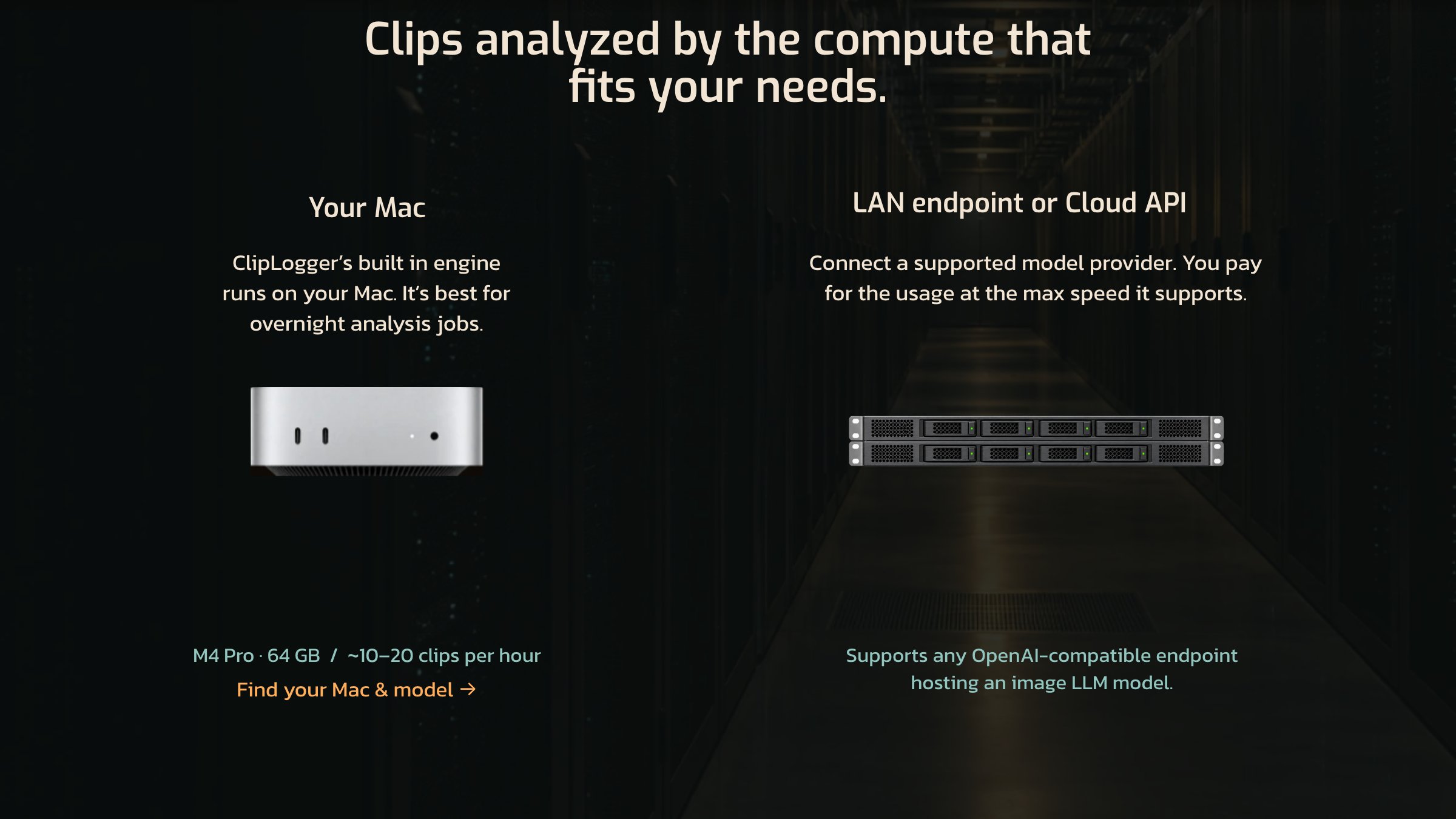
You choose where the analysis runs, per run: the built-in engine on your Mac (free), your own AI provider key, or Rush, ClipLogger's paid cloud service, which logs a whole folder in parallel at one credit per clip. Any run that spends credits shows the clip count, the cost and your balance before it starts.

Confirmed metadata goes into the file name and into open .logger.json sidecars plus XMP, next to the media. Premiere and the other major editors read it natively, and the files stay readable without ClipLogger.

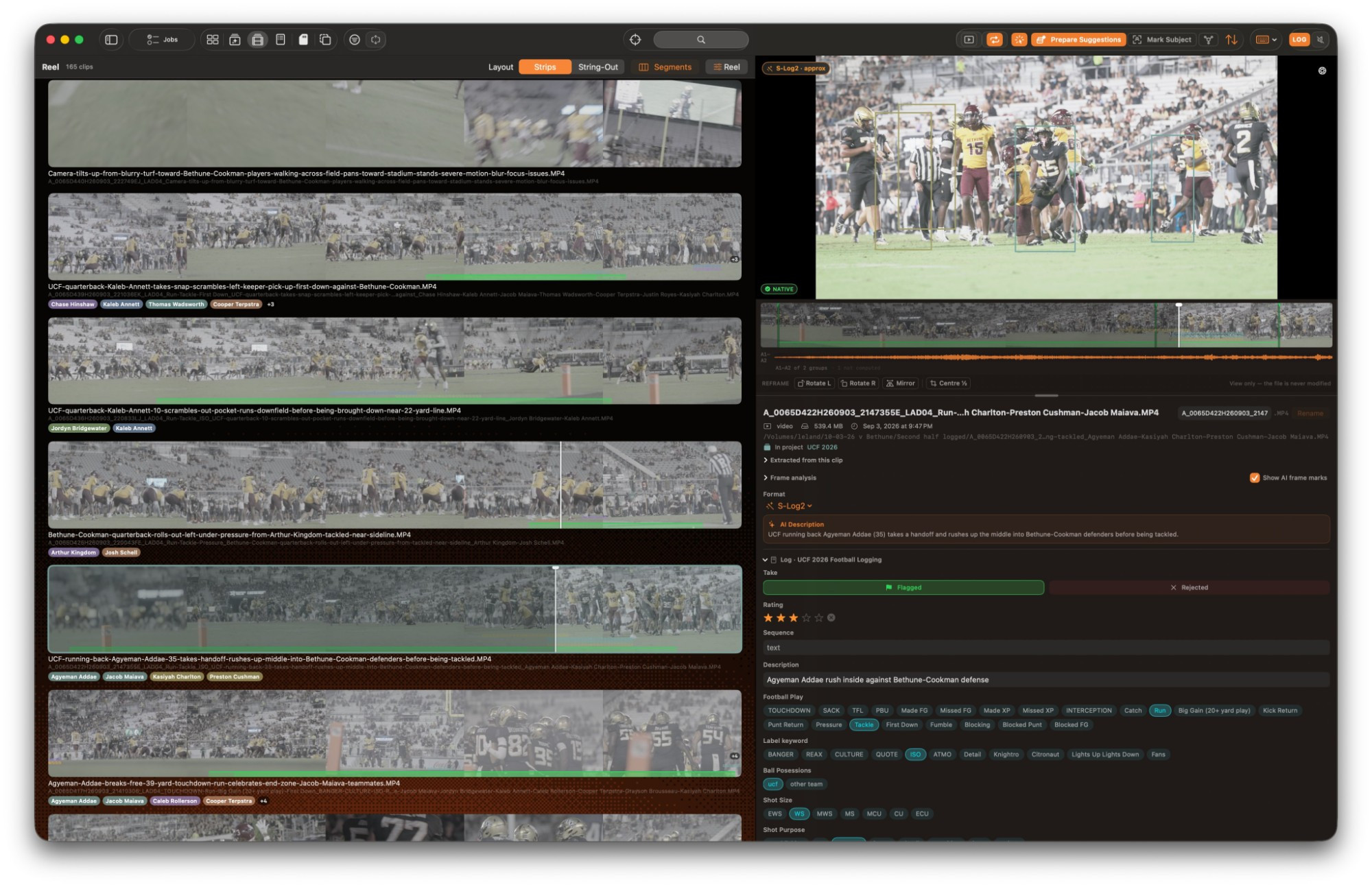
ClipLogger in Strips view: football clips renamed from their logs with player tags under each strip, and the logging panel for the selected clip
Strips view. Each clip carries the name written from its log and tags for the players in it; the panel on the right holds the AI description and the project's logging palette.

Key features

  • Verified offloadRead-back plus an independent source re-read, MHL manifests, multiple destinations at once.
  • A logging palette you ownCustom fields and options per project, with a key map generated from the palette.
  • AI suggestions you reviewSuggestions come from your own palette; you keep or correct each one before it is applied.
  • Subjects, groupedGroups the same face across clips, with roster and jersey-number bindings built for sports.
  • Ranges and named markersIn and out points and named markers, stored in sidecar metadata that Premiere reads natively.
  • Search what was loggedFilters built only from values that were actually logged in the current scope.
  • Open formatMetadata in documented .logger.json sidecars and XMP, plus FCPXML, Resolve CSV and Avid ALE exports.

Why a cinematographer built a logging tool

A lot of my work is sports, including nearly three seasons as the team photographer for UCF Athletics, and the part of that job nobody sees starts after the cards come out of the cameras. A half of football fills several cards, and before anyone can cut it, somebody has to name every clip, describe what happens in it and attach the right players, which is slow work that ends up typed into a spreadsheet of shot notes.

So I built ClipLogger to take the first pass at that logging. You set up a palette for the project with the plays and the roster, ClipLogger reads selected frames from each clip and suggests values from that palette, and you keep or correct each suggestion instead of typing it from scratch, so the crew spends its energy on the edit.

I also wanted the logging to outlast the app that did it, because the tools that tag footage for you keep most of what they find on their own platform, and once you stop paying, the work your team did sits behind a login. ClipLogger writes every confirmed tag into the file name and into an open .logger.json sidecar and XMP beside the clip, so Premiere, Resolve, Final Cut and Avid can read it, and the files stay readable if you never open ClipLogger again.

The version that runs on your Mac is free and needs no account, and Rush, the paid cloud service, is there for the days you need a whole folder logged in parallel before the edit starts.

Leland Dutcher, developer of ClipLogger
Boilerplate and bio

Free to paste into coverage as written.

One line

ClipLogger is a Mac app that logs video footage with machine vision and writes what it finds into open sidecar files beside each clip, which Premiere reads as XMP and the other editors take through CSV, FCPXML and ALE exports.

Developer bio

Leland Dutcher is a cinematographer, photographer and creative technologist. He spent nearly three seasons as the team photographer for UCF Athletics and has worked with ESPN, Meta, PepsiCo and the New Orleans Saints. He builds tools when no one else has shipped them yet, including ClipLogger, Clip Sweeper, JuiceMount and Open Prompter.

Boilerplate

ClipLogger is a Mac app that logs video footage with machine vision. It offloads camera cards with verification, suggests subjects, actions and shot types from a logging palette the user defines, and writes confirmed metadata into file names and open sidecar files that Premiere Pro, DaVinci Resolve, Final Cut Pro and Avid read. The local version is free. ClipLogger runs on Apple silicon Macs with macOS 15 or later.

Downloadable assets

Free to use in coverage of ClipLogger. Each image links to its full-resolution file.

Everything below in one file. Two app screenshots, six website images, the app icon and logos in SVG and PNG.

Download all (ZIP, 3.2 MB)

App screenshots

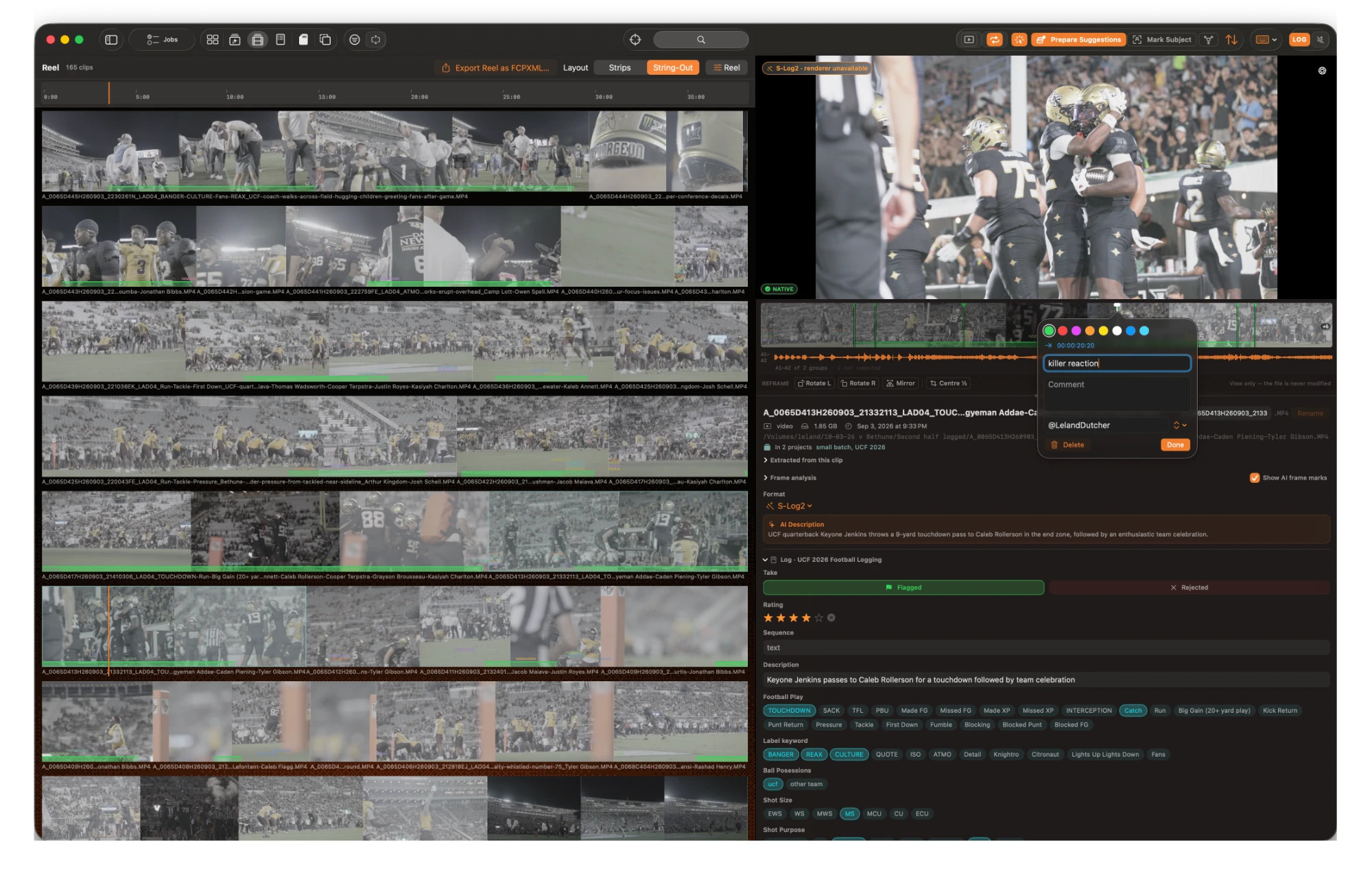
ClipLogger reel in String-Out view, with the review panel open and a named marker being added to a clip
Reviewing a reel2000 × 1293 JPG

String-Out view of a 165-clip reel. On the right, a clip's AI description and logging palette, with a named marker being added at 00:00:20:20.

ClipLogger in Strips view with player tags under each clip and the logging panel for the selected clip
Logging in Strips view2000 × 1293 JPG

Each clip shows a filmstrip, the name written from its log and tags for the players in it. On the right, the logging panel for the selected clip.

Website images

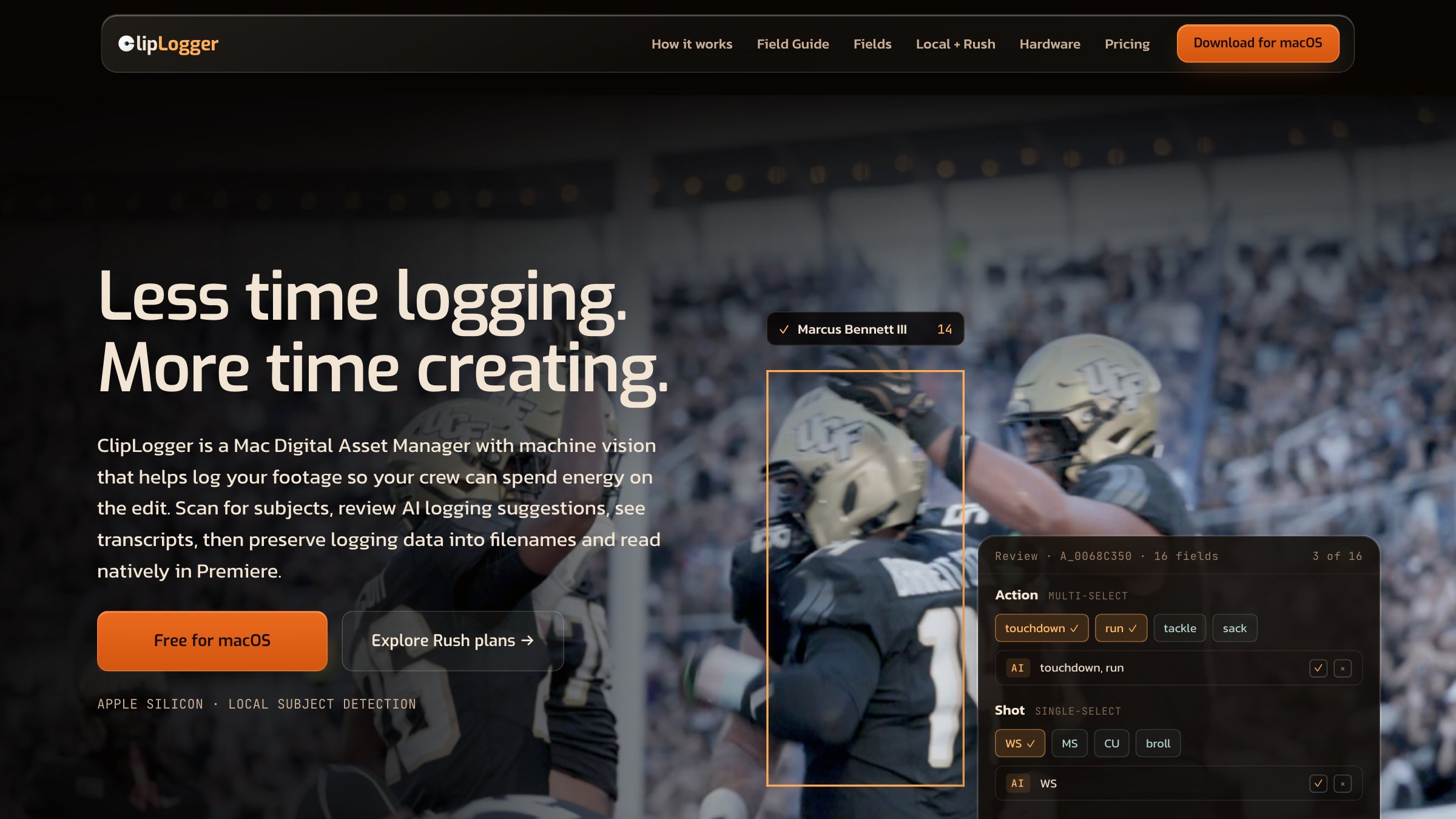
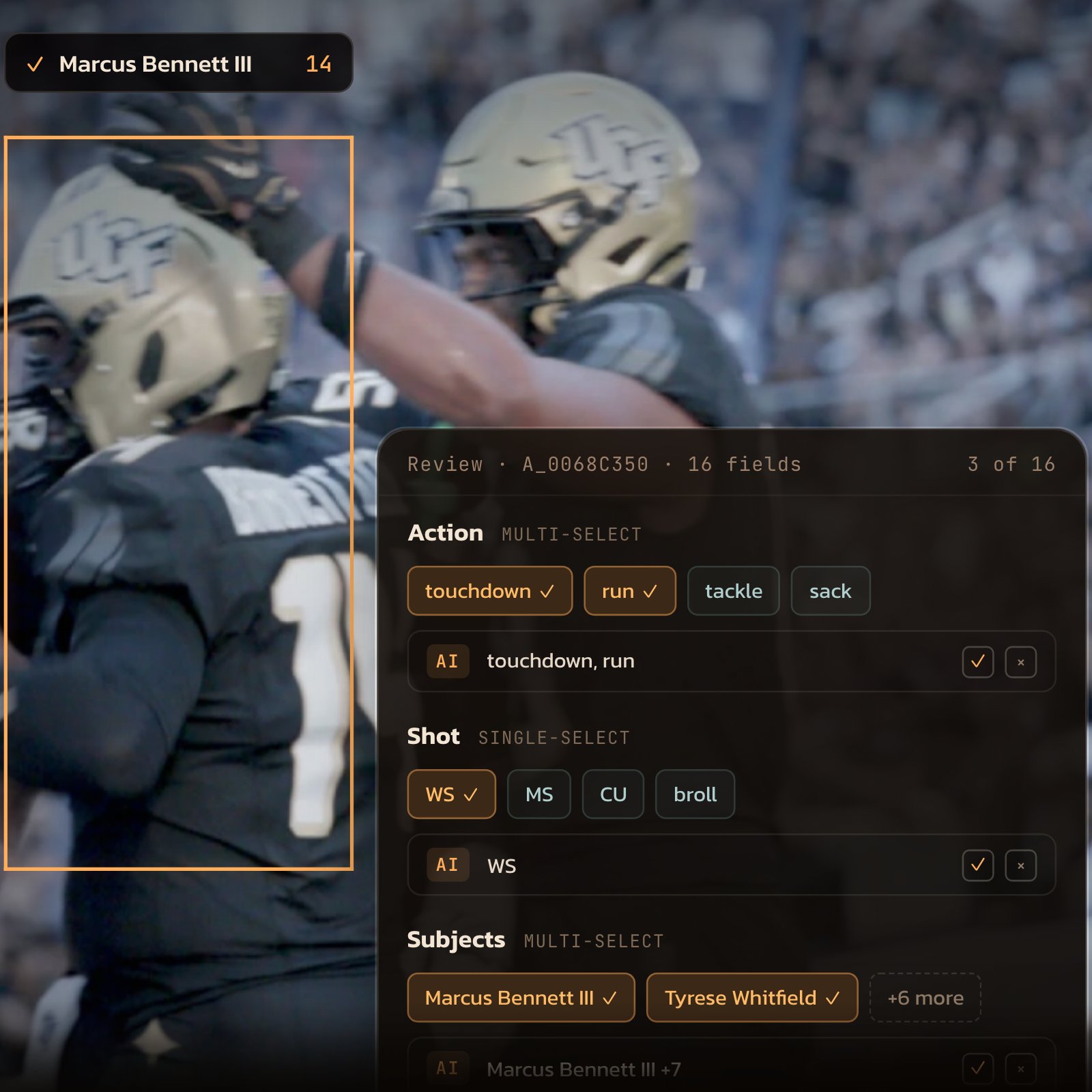
ClipLogger homepage: a subject box over a football player and the AI suggestion review panel
Suggestions to review2400 × 1350 JPG
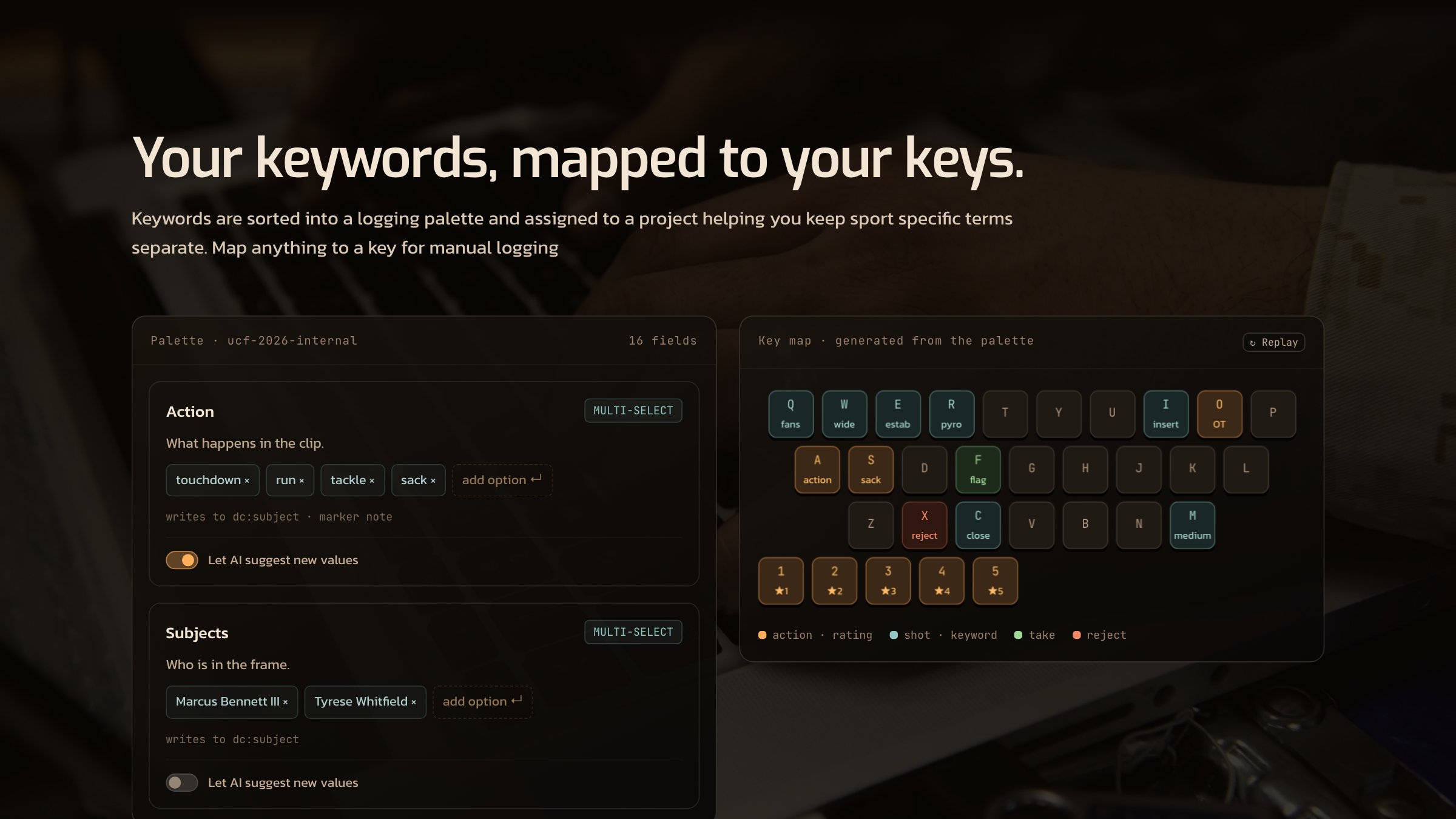
A logging palette and the keyboard map generated from it
Logging palette and key map2400 × 1350 JPG
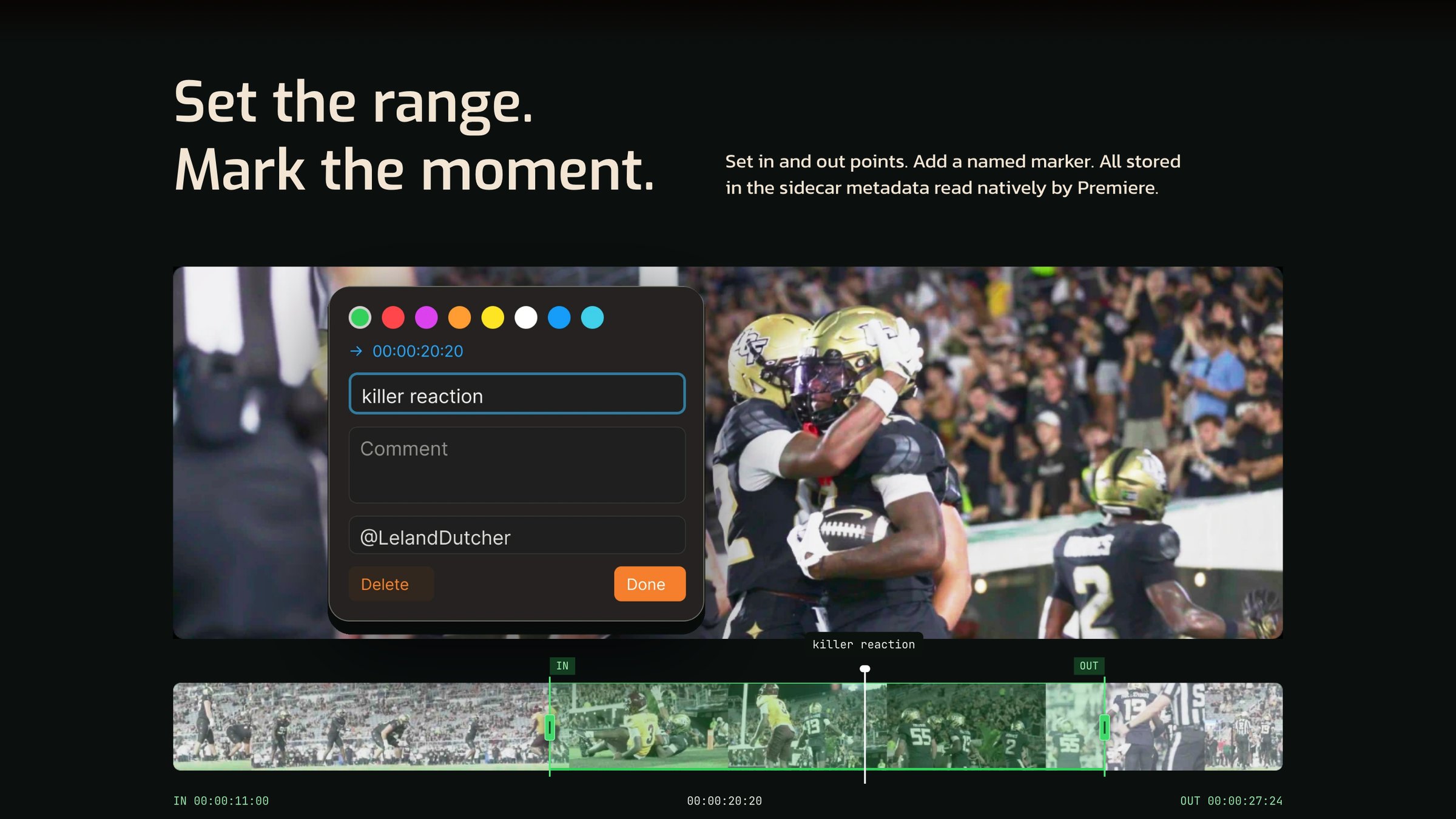
Setting in and out points and a named marker on a clip
Ranges and named markers2400 × 1350 JPG
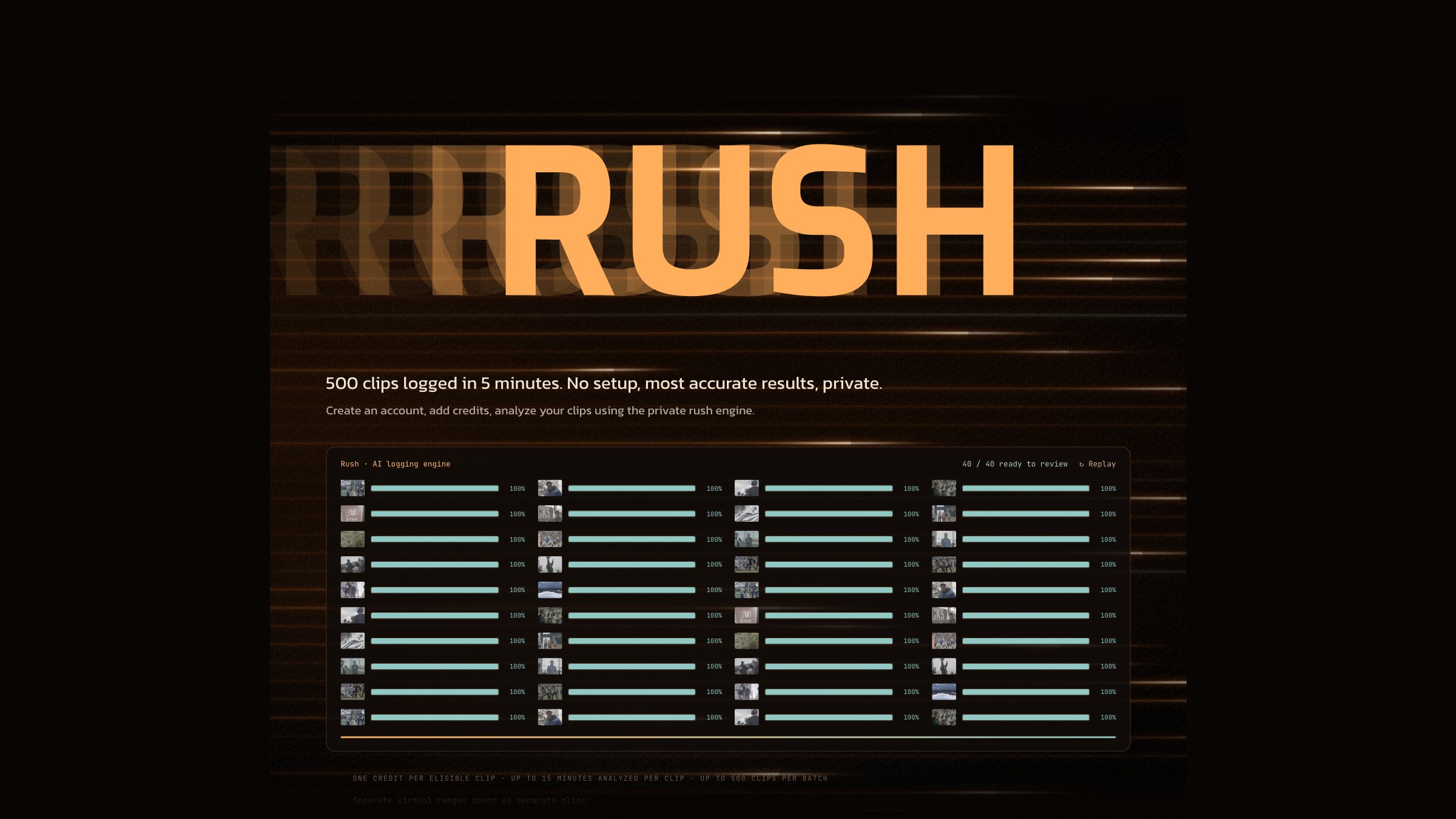
Rush logging forty clips in parallel
Rush, the cloud engine2400 × 1350 JPG
Choosing where clips are analysed: your Mac, or a LAN endpoint or cloud API
Your Mac or your own endpoint2400 × 1350 JPG
Square crop of the suggestion review panel beside a subject box
Review panel, square1600 × 1600 JPG

The app screenshots are captures of ClipLogger running on a Mac. The website images are rendered from cliplogger.com at twice screen resolution.

App icon and logos

ClipLogger app icon
App icon1024 × 1024, transparent
ClipLogger logo
LogoFor dark backgrounds · PNG 3132 × 741
ClipLogger logo, one colour
Logo, one colourCream, for dark backgrounds · PNG 3132 × 741
ClipLogger C mark
MarkThe C on its own · PNG 1024 × 1024

FAQ for writers

How is it priced?

Local is free forever and needs no account. It includes a one-time trial of 25 Rush credits. Pro is $20 a month with 150 Rush credits a month and unlimited use of your own AI provider key. Studio is $49 per seat a month with 500 credits a month per seat, pooled across the team. Credit packs cost $12 for 100, $50 for 500 or $90 for 1,000. Unused credits roll over and never expire. See pricing for current numbers.

What does one credit buy?

One clip logged by Rush, flat, up to about fifteen minutes per clip. A 1,000-clip folder is 1,000 credits. The cost is shown before a run starts.

Does footage get uploaded?

Not unless the user chooses Rush for a specific run. The default engine runs on the Mac. With the user's own key, the request goes from the Mac straight to the provider the user picked. Frames sent to Rush are deleted after use, encrypted in transit and at rest, and never used for training. Source footage stays on the user's drives.

Does it work offline?

Yes, once it is set up. Offload, browse, logging and playback never need a connection. Rush and account sign-in are the parts that need to be online.

Does it recognise people?

It groups the same face across clips so a subject is tagged once. Names come from the user's roster or codes. Nothing is matched against any outside database. Please describe it as grouping faces, not as identifying people.

Is the app open source?

No. The metadata format is open and documented, and the sidecars are plain files anyone can read. The application itself is closed source.

Which Macs does it run on?

Apple silicon Macs on macOS 15 Sequoia or later. There is no Intel build and no Windows or Linux version.

Press contact

Email hello@cliplogger.com for interviews, review access, or a format or shot you do not see on this page.

Email hello@cliplogger.com